Windows
Available nowInstall from the Microsoft Store, then open your workspace.
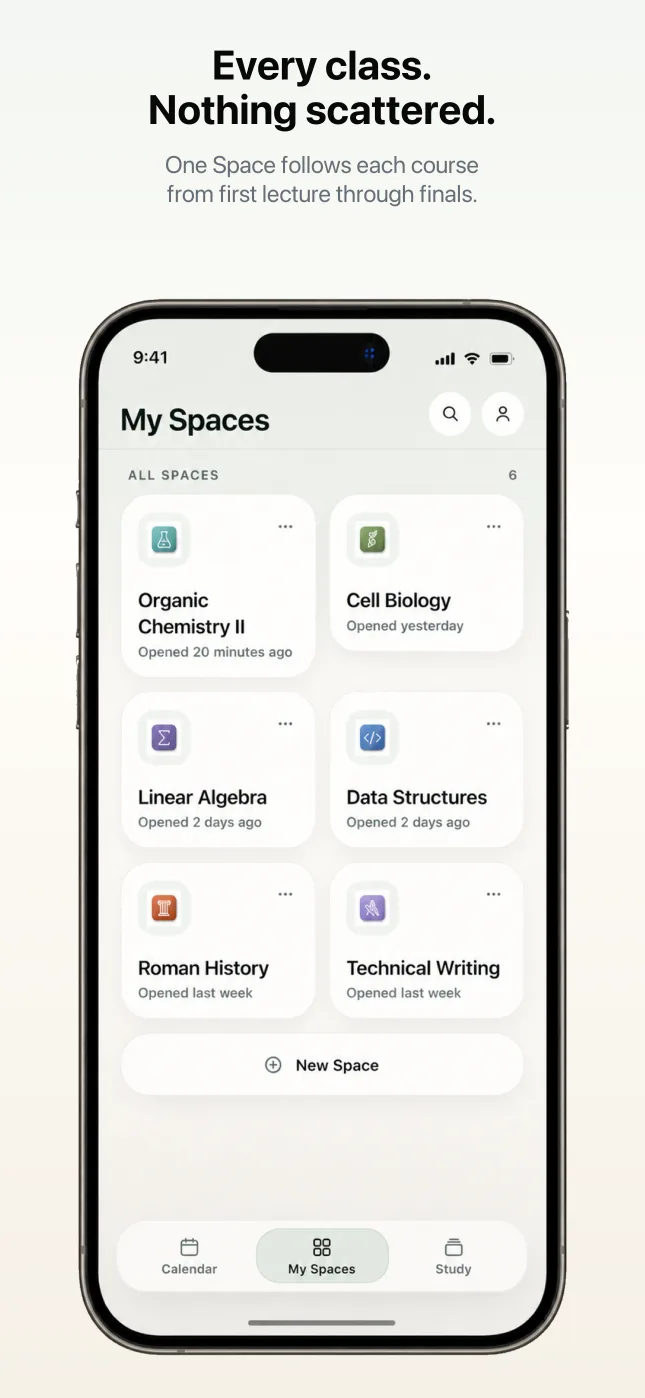
Create a Space for each class. Keep syllabi, slides, PDFs, notes, deadlines, and study decks together. Let Natived Spaces turn scattered course material into one connected workspace that compounds all semester.
Every course starts with downloads, dates, readings, slides, and notes living in different places. Natived Spaces is built around the work students actually repeat: turning course material into something usable.
PDFs, slides, readings, and study guides pile up across downloads folders and school portals.
Assignments, quizzes, exams, and due dates stay buried inside syllabi and course pages.
Notes, reminders, and study cards rarely know about each other when exam week arrives.
Write in a focused editor. When you stall, Pair opens right under your cursor. Ask it to continue or explain from where you left off, and it works from the note you are already writing.
Light-dependent reactions
Photosystem II absorbs light at 680nm and uses that energy to split water, releasing oxygen and feeding electrons into the transport chain.
The proton gradient then drives… Pair · continued from your cursorGENERATED FROM SYLLABUS.PDF
5 reminders created · August through December
Point Natived Spaces at a syllabus and the whole semester lands on a timeline: lectures, homework, labs, the midterm, and the final project. Recurring items repeat themselves, and reminders can link back to the material they belong to.
Turn chapters, lecture slides, and semester notes into study decks for recall, multiple choice, matching, or mixed review from a single PDF. Run the whole thing from the keyboard.
What process do plants use to turn sunlight into chemical energy?
Photosynthesis: chloroplasts use light, water, and CO₂ to produce glucose and oxygen.
Natived Spaces is designed to compound. Start with one course document, keep adding as the weeks pass, and by exam week the Space is a course record you can actually use.
Create a Space and add the documents your class already gives you. Natived Spaces extracts every deadline into dated reminder cards.
Lecture by lecture, your notes build up in one Space, with optional Pair help when you want to continue or clarify your writing.
Midterm coming. Choose the lecture pages that matter, then turn them into concept-ready slidecards and quiz questions.
Reorient yourself and see how the course has developed.
Exam week. The Space holds the whole course: every note, every date, every deck. Nothing to rebuild by hand or hunt down.
Create a Space and add the documents your class already gives you.
Generate reminders, write notes, and turn PDFs into structured study cards.
Use the accumulated workspace when deadlines are close and exams are coming.
Notes, reminders, and decks live next to the documents they came from, so the material you add in week two is still working for you in week fourteen.
Nothing new to produce. Natived Spaces works from the files and dates your courses already generate.
| Material | Scattered | In a Space |
|---|---|---|
| Syllabus | A PDF you open twice a semester | Parsed into dated reminder cards with links |
| Lecture slides | Numbered files in a downloads folder | Source material for structured study decks and quick revisits |
| Materials | PDFs and readings scattered across drives | Attached to their Space, searchable alongside notes and decks |
| Notes | Split across apps and notebooks | Capture ideas from your course and continue seamlessly from your last thought |
| Deadlines | Memory, plus frantic portal checks | All your deadlines from first day to finals, organized and connected to the right materials |
| Exam prep | A rushed rebuild from scratch the week before | Accumulated all semester, ready to review |
Natived Spaces for iPhone is designed for course organization on the go and quick review.
Choose the app for the device you use.
Each workspace stays local to that device.
Install from the Microsoft Store, then open your workspace.
Install on the App Store.